Convert PowerPoint to Video
Narakeet is a PPT to voice converter that makes it easy to convert PowerPoint to video with voice over. Convert PPT to video with audio in 100 languages, using 900 voices.
You can convert a limited number of slides for free, with no registration required. Upgrade for larger capacity and access to all 900 voices.
- Free Automatic Voice Over for PowerPoint
- PPT to Voice Converter
- PPT to Voice Converter Free
- PPT to Video with Audio
- PPT Voice Over
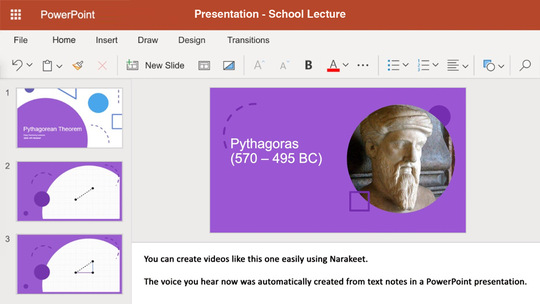
Free Automatic Voice Over for PowerPoint
New to Narakeet? Try it out now: download the source presentation for the demo video, edit the presenter notes, and upload it again. Or just upload one of your existing presentations with speaker notes. Narakeet makes editing videos as easy as editing text.
The best format to upload is Microsoft PowerPoint (PPTX), but Narakeet can also load PPT, PPSX and ODP files.
If you use Google Slides, just select File ⮕ Download ⮕ Microsoft Powerpoint from the application menu to produce a PPTX file.
Apple Keynote users: save the presentation using File ⮕ Export to ⮕ Powerpoint to create a PPTX file.
PPT to Voice Converter
Use Narakeet as a PPT to audio converter AI to convert PPT to video with audio, or use it as a PPT to video AI tool. Learn how to convert PPT to video using these 5 easy lessons:
- Add voice over to videos in presentations
- Change the voice-over language or voice
- Create dialog using multiple voices, set the voice volume or speed to make more interesting conversations
- Control pauses in narration
- Control pronunciation for acronyms and scientific terms
PPT to Voice Converter Free
Make the most out of our natural sounding text-to-speech with these quick tips:
- Test text-to-speech voices and scripts easily, use previews to make sure your content is great before making text to speech audio
- Add pauses to text-to-speech voiceovers, help your listeners take a moment and understand your content better
- Text to Speech Multiple Voices, make voiceovers more interesting by including several voices
- Change text to speech reading speed, make fast voices easier to understand by changing the reading speed
- Text to MP3 online, Convert your text to MP3.
- Create high-quality text to speech audio, use uncompressed WAV format to get professional quality text to speech voiceoves
- Estimate the duration of text to speech, find out how long your script will be as an audio file
- Text to speech important tips
PPT to Video with Audio
Use Narakeet to convert PPT to video with audio, or convert PowerPoint to video with voice over. Whether you need a PPT voice over for a presentation or want to convert slides to a full video, these in-depth guides will help:
- Create a slideshow from Powerpoint, Quickly show a sequence of images during a voiceover
- Preview presentation voice-over
- Create Ken Burns animations from Powerpoint
- Use your own voice or pre-recorded audio
- Add captions and subtitles to your videos
- Add custom background music to your video
- Improve video visuals
- Choose the right size for publishing your video
PPT Voice Over
- Available voices and languages
- Reference guide with a full list of all stage directions
- Check out the Tutorials and guides for more tips and tricks.
- Get in touch for additional assistance