

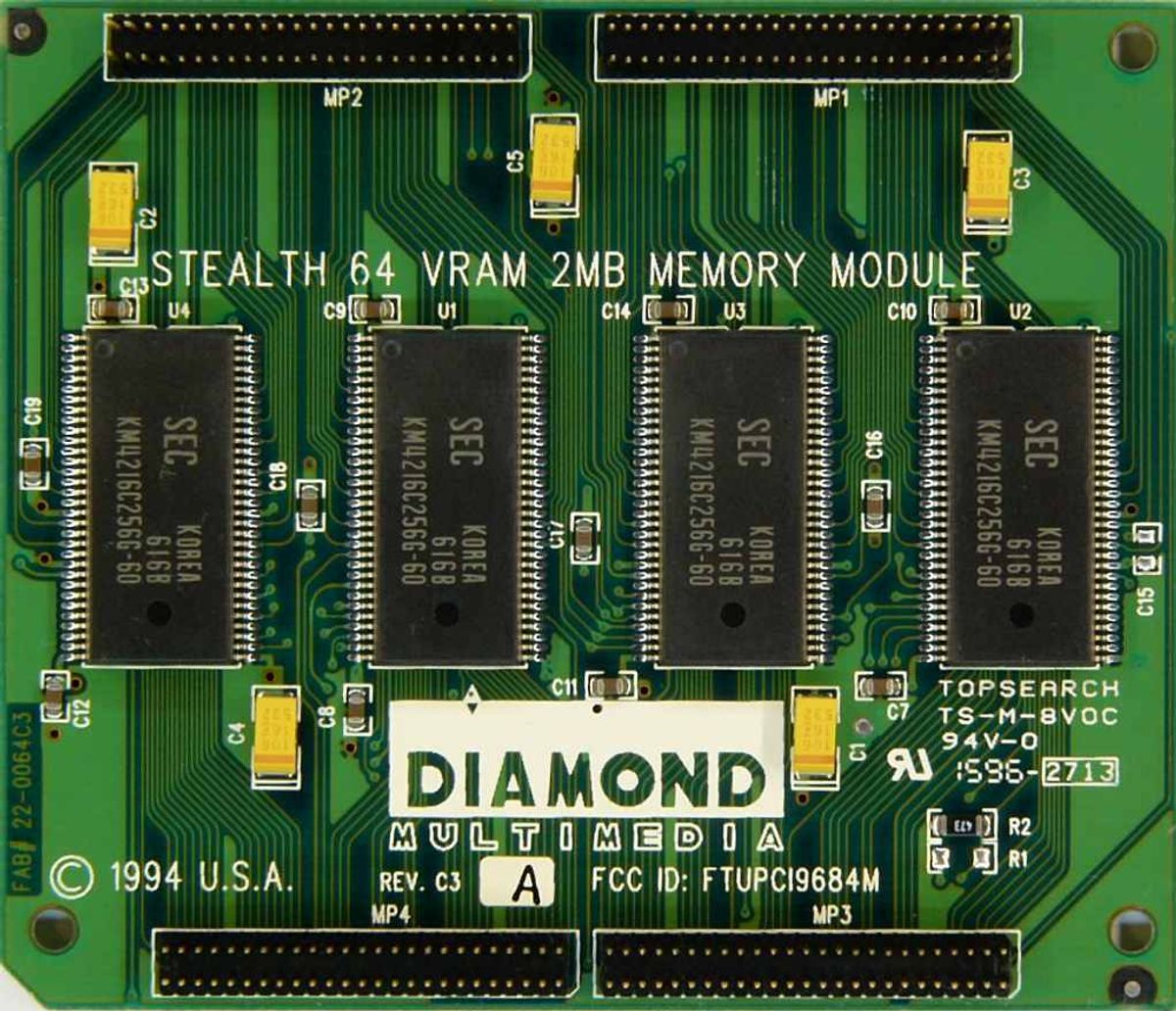
Although most of the theoretical concepts of computers don't envision different types of specialized memory in one system, the cold reality is always more complicated than these schemes. As soon as computers became able to handle graphics, it was found out that what's needed to process them is often radically different from the main system memory requirements. Those are described on the RAM page, however; what matters here is what gets stored in video memory (and how it's organized), and this is different depending on what kind of graphics processor you have hooked up to that memory.
We can divide the hardware into several categories, largely graded on the complexity of their GPUs: barebone graphical systems (that include early consoles), framebuffer 2D, tile-based 2D, the first GPUs, and modern 3D graphics chips.
Barebones
The earliest consoles (and the early Mainframes and Minicomputers that pioneered graphic usage in The '60s) didn't have video RAM at all, requiring the programmer to "ride the beam" and generate the video themselves, in real time, for every frame. The most their hardware could usually do was to produce a digital signal for connecting to an analog CRT unit, usually a standard household TV set or (rarely) a specialized monitor. This was especially true on the Atari 2600, but most 1970s consoles used a similar technique. This was difficult, time-consuming and error-prone work, often much exacerbated by the penny-pinching design of the hardware, and it frequently produced inadequate results (for example, one of the main causes of The Great Video Game Crash of 1983 was a huge glut of poorly-made games for the Atari 2600 and several of its competitors).
Framebuffers and blitting
As was said above, some early big machines used the same setup as the early consoles and suffered from the same problems. However, as memory technology improved and semiconductor RAM dropped in price, it was possible to set a portion of the system memory apart and add a circuit that would constantly scan it at regular intervals and generate the output signal based on its content. Thus the first true video memory was born, and this was called a frame buffer, because it served as a buffer between the CPU (that can put image data there and then turn to other tasks) and the specialized hardware (that later would grow into the GPU) that was doing nothing except putting the picture onto the screen — the frame. Soon, because leaving it within the main memory often slowed down the CPU, the frame buffer was separated into its own unit, creating the modular graphics hardware we're familiar with now.
The framebuffer approach was, and still is, the most common approach to display memory — its contents directly correspond to what the user would see. The simplest example of this is called bit mapping, where each bit of the video memory (or defined groups of bits or bytes if the frame buffer supports color) may represent a dot on the screen — if there's a "1" in the memory, then the dot will be lit, and when there's a "0", it will be left dark. On color hardware, the exact bits set determine the color of the pixel and (especially on modern "direct color" framebuffers) how bright it is. This approach was also used for text displays —the framebuffer held character codes that the hardware would then convert into readable characters using character memory, often a specialized "character generator" ROM with character bitmaps factory-programmed into it.
Note, though, that the framebuffer usually doesn't take the whole video memory (though on the early machines with a tiny amount of RAM it often did); displaying a whole 80×25 screen of text, like many 1970s and 1980s terminals did, needed only about 2000 bytes (with more needed only if your display supported colors or text attributes like highlighting or underlining, and many early machines didn't bother with either). RAM prices soon dropped even more, though, and system designers began to add more video memory to do tricks like page switching note . The rest of the video memory could also store other previously prepared images that could be quickly transferred into the framebuffer. Very soon, graphics hardware started to include one more specialized circuit — the blitter, that could do very fast block copies of memory content, both from the main memory and the other video memory locations alike.
The capacity of such hardware was generally measured in the number of pixels that could be copied in video memory per second. Note again, however, that hardware like this first appeared in Mainframes and Minicomputers due to the cost. In the Seventies, framebuffer technology was introduced to arcade machines, with Taito's Gun Fight (1975), and was popularized by Space Invaders (1978). In the early Eighties, it appeared on UNIX workstations, and spread to consumer-grade machines like the NEC PC-98 in the early Eighties and the Amiga by the end of the decade. Framebuffer technology became more prominent in the early 1990s, when the rise of Microsoft Windows all but required it.
The first GPUs
What worked well for the big and expensive professional computers, though, didn't fit the needs of the video gaming consoles, which were limited by the price the customer was willing to pay. They needed something that put out the most bang for the buck.
The first home computer to include anything resembling a modern GPU was the Atari 400/800 in 1979. These used a two-chip video system that had its own instruction set and implemented an early form of "scanline DMA"note , which was used in later consoles for special effects. The most popular of these early chips, however, was Texas Instruments' TMS9918/9928 family. The 99x8 provided either tile-based or bit-mapped memory arrangements, and could address up to 16 kilobytes of VRAM — a huge amount at the time. Most TMS99x8 display modes, however, were tile-based.
The NEC µPD7220, released in 1982, was one of the first implementations of a computer GPU as a single Large Scale Integration (LSI) integrated circuit chip, enabling the design of low-cost, high-performance video graphics cards such as those from Number Nine Visual Technology. It became one of the best known of what were known as graphics processing units in the 1980s.
Tiles and layers
Tile-based graphics was an outgrowth of the aforementioned character display. In it the smallest picture unit wasn't a dot or pixel, but a tiny (usually 8×8) image called a tile — just like a character in the text mode, only it could be of any shape, and unlike with many character displays, the character memory was located in RAM and thus could be set to any design you wanted. Another part of the VRAM, called the tilemap, stored which part of the screen held which tile.
In 1979, Namco and Irem introduced tile-based graphics with their custom arcade graphics chipsets. The Namco Galaxian arcade system in 1979 used specialized graphics hardware supporting RGB color, multi-colored sprites and tilemap backgrounds. Nintendo's Radar Scope also adopted a tile-based graphics system that year.
The TMS99x8 introduced tile-based rendering to home systems, and the NES and later revisions of the 99x8 in the MSX and Sega SG-1000 refined it. While the Texas Instruments chip required the CPU to load tiles into memory itself, Nintendo went one better and put what it called the "Picture Processing Unit" on its own memory bus, freeing the CPU to do other things and making larger backgrounds and smooth scrolling possible. The Sega Master System took this further by giving its VDP a 16-bit bus.
NES video memory has a very specific structure. Tile maps are kept in a small piece of memory on the NES mainboard, while tiles (or "characters") are kept in a "CHR ROM" or "CHR RAM" on the cartridge. Some games use CHR RAM for flexibility, copying from the main program ROM; others rapidly change pages in CHR ROM for speed. Moreover, multiple tilemaps can exist. In most cases, each tilemap represents a specific layer of the picture; the final image is produced by combining the layers in a specific order.
Many tile-based GPUs also included special circuitry for smooth scrolling (where the image can shift to the left or right one pixel at a time), which is notoriously hard to do entirely in software. John Carmack was reportedly first to do it efficiently for a PC in Commander Keen, and his method required an 80286 CPU, which was quite a bit more powerful than the 8-bit chips in early consoles. With hardware smooth-scrolling, however, the CPU simply tells it the position offset for each layer, and that's what gets shown. Arcade machines like the Sega X Board, and later consoles like the Mega Drive and SNES, added new features, such as more colors, "Mode 7" support (hardware rotate/scale/zoom effects), and scanline DMA (used to generate "virtual layers").
Sprites
Of course, a game with just a tilemap would be boring, as objects would have to move in units of a whole tile. It's fine for games like Tetris, or games with large characters such as fighting games or the ZX Spectrum adaptation of The Trap Door, but not so much for other genres. So most tile-based systems added a sprite rendering unit. A sprite is essentially a freely movable tile that is handled by special hardware, and just like tiles it has a piece of video memory dedicated to it. This memory contains a set of sprite outlines, but instead the tilemap stores where on the screen each of the sprites is right now. The sprite rendering hardware often has an explicit limit on the size of the sprite, and because some GPUs implemented smooth sprite movement not by post-compositingnote but by manipulating character memory directly, the sprite often had to have the same size as the tile. The reason that the SNES had larger sprites than the NES was because the SNES's character memory was larger than on the NES, and its GPU could handle larger tiles.
Sprites exist within certain layers, just like tilemaps. So a sprite can appear in front of or behind tilemaps or even other sprites. Some GPUs like Yamaha V99x8 allowed developers to program the sprite movement and even issued interruptsnote when two sprites collided. On the other hand, sprite rendering, on both the NES and other early consoles, had certain limitations. Only a certain number of sprite tiles could be shown per horizontal scanline of the screen, and this limit was determined by the GPU's design. If you exceed this limit, you see errors, like object flickering and so forth. Note that what matters is the number of sprite tiles, not the number of sprites. So 2×2 spites (a sprite composed of 4 tiles arranged in a square) count as 2 sprite tiles in the horizontal direction.
PC-style 2D (EGA and VGA)
Meanwhile, what PCs did have at the time was not nearly as neat. PC graphics started with the extremely limited Color/Graphics Adapter or CGA, which had 16 kilobytes of VRAM (just like the TMS99x8), but could only display the 16 colors it was capable of in text mode (including a hacked 160×100 pseudo-tile or "ANSI art" mode); actual bitmapped (or "all points addressable", in IBM parlance) graphics were limited to just 4 colors in 320×200 mode (with only two fixed, strange-looking palettes), and while the CGA was capable of Apple II-style composite artifact color, only a few games from the dawn of the PC era ever used it (particularly early Sierra games and the first version of Microsoft Flight Simulator). IBM attempted to remedy this by adding a real, 16-color 320×200 mode to the ill-fated IBM PCjr, but it would be the PCjr's spiritual successor, the Tandy 1000, and IBM's Enhanced Graphics Adapter (EGA) that would bring full 16-color graphics to the PC-buying masses in the mid-1980s. However, the EGA used a planar memory setup, meaning that each of the four color bits (red, green, blue and brightness) were separated into different parts of memory and accessed one at a time. This made writing slow, so the EGA also provided a set of rudimentary blitting functions to help out. Nevertheless, several games of the PC era made use of this mode. Just like blitter-based systems, there was no support for sprites, so collision detection and layering was up to the programmer.
What really changed things, though, was IBM releasing VGA with the first Personal System/2 machines in 1987. One of the several new modes VGA provided was a 256-color, 320×200 graphics mode, which had the advantages of being "packed" (you could write byte-wide color values directly to video memory, instead of having to separate them into separate planes like on the EGA) and being just shy of 64 kilobytes long (which was important for DOS programming, since accessing more than 64k of memory would require the same kind of bank switching as EGA). There was no blitter support at all in this mode, which slowed things down some; however, the new mode was so much easier to use than 16-color was that developers went for it right away. VGA also bettered EGA by having a full 18-bit palette available in every mode, a huge jump from EGA; EGA could do up to 6-bit color (64 colors), but only 16 at a time, and only in high-resolution mode — 200-line modes were stuck with the 16 colors CGA could do in text mode (a step up from the 4 colors the CGA could do in 200-line mode, but without the 350-line mode's potential for customization). The huge-for-the-time palette had much richer colors and made special effects like the SNES-style Fade In/out (done by reprogramming the color table in real time) and Doom (1993)'s gamma-correction feature possible.
The lack of a blitter meant that the path between the CPU and the VGA needed to be fast, especially for later games like Doom, and the move from 16-bit ISA video to 32-bit VLB and PCI video around 1994 made that possible. Certain accelerator cards, notably the S3 86C series, attempted to implement blitting in VGA, with varying degrees of success.
Modern 3D Graphics
In the world of 3D graphics, things are somewhat different. Polygonal Graphics don't have the kind of rigid layout that tile-based 2D rendering had. And it's not just a matter of managing the graphics, but how we see them. Thus video memory with 3D graphics is (conceptually, if not explicitly in hardware) split into two parts. Texture memory, which manages the actual graphics, and the frame buffer, which manages how we see them. The closest analogy so far is the difference between a movie set and the cameras that film the action. The texture memory is the set. All the people, places, and objects are handled there. The frame buffer is the camera. It merely sees and records what happens on the set so we can see it. Everything not shot by the camera is still part of the set, but the camera only needs to focus on the relevant parts.
Just the same in 3D video games. If you are playing a First-Person Shooter, everything behind you is part of the level, and is still in the texture memory. But since you can't see them, they are not in the frame buffer, unless you turn around, in which case what you were facing before is now no longer in the frame buffer. This means that part of the video memory has to handle the texture memory, while the other handles the frame buffer. There's also usually a third part of the memory, the so-called z-buffer, that stores the depth of the part of the scene currently being rendered for each of the final picture pixels, but as it is mostly used by the GPU itself and isn't generally available for the programmer to manipulate nowadays, it is of little importance.
Modern 3D graphics rendering also demanded high performance processors, and with that came the need to feed said processors with lots and lots of data. The trouble is, despite system RAM being one of the fastest things in the computer, it's still too slow for a modern 3D GPU. To meet those demands, an offshoot memory standard called Graphics Double Data Rate, or GDDR, was born. The name is something of a misnomer now, as it was once based on the existing DDR SDRAM standard but has since become its own thing. Without getting too much into the nitty and gritty, GDDR RAM differs from regular DDR RAM by being tuned more towards accessing and transferring large swaths of data rather than accessing that data quickly. As such, they have much higher bandwidth, but at the cost of increased latency.
Today, VRAM holds the following data:
- 3D Models. These surprisingly take up little space.
- Textures, which comprise of the bulk of memory consumption. Often times these employ Texture Compression to save bandwidth and space. Modern games may also stream textures from the hard drive, though this can present undesirable texture pop-up.
- Render targets, which are intermediate steps in the rendering process that pixel shaders can modify later. These include shadow maps, lighting effects, and mappings for reflections and the like.
- Frame buffers, which are completed renders that could eventually be displayed or reused as a render target.
- Cached shaders, which helps reduce stutters since otherwise they're kept in system RAM.
- General data. If the GPU is running general purpose calculations, it'll have to use VRAM while it does so.
A misconception that's died down is that the amount of Video RAM indicated the graphic card's performance. This started around the turn of the millennium as 3D rendering was transitioning from 16-bit colors to 32-bit color rendering. RAM at the time was expensive as well, which was a problem as 32-bit rendering took up more space than 16-bit rendering. So higher performing cards often had more RAM. As time went on, higher performance RAM started being placed on higher-end video cards, but at a compromise of capacity. So cheaper cards using the lower performance RAM could be installed with higher capacities than higher performing cards. Needless to say, a "DirectX compatible graphics card with X MB of memory" was soon dropped because the "memory = performance" trend was rendered moot. However, it seems that this belief has saw a resurgence as of late, with many deriding cards with 8GB or less as having insufficient VRAM. Much of this seems to stem from poorly optimized Triple-A titles that list unnecessarily large amounts of VRAM in the requirements section on Steam and Epic Games Store and in reviews.
3D performance relies more on the GPU design itself (more processing units = more things happening at once = better performance), how fast those units are clocked, and finally, how fast they can access memory. For all but the most demanding tasks, normal SDRAM is fast enough for 3D rendering, and the amount of RAM only helps if the application uses a lot of textures.note 2D performance is pretty much as good as it's going to get, and has been since the Matrox G400 and the first GeForce chips came out in 1999; even a GPU that's thoroughly obsolete for 3D gaming, such as the Intel 945 or X3100, will still be able to handle 2D well all the way up to 1080p HDTV, and possibly beyond.
