
X Tutup
Skip to main content

Indie game storeFree gamesFun gamesHorror games
Game developmentAssetsComics
SalesBundles
Jobs
TagsGame Engines

leafoAdmin

7,021
Posts
121
Topics
2,279
Followers
581
Following
A member registered Feb 26, 2013 · View creator page →

Creator of

Recent community posts

Admin (2 edits)

The way the “scan for existing game” feature works isn’t documented very well, I’ve put together a new page in the itch docs explaining what it does exactly: https://itch.io/docs/itch/using/scan-install-locations.html

Unfortunately at this time there’s no trivial way to convert a browser downloaded game into one the app understands, since there’s metadata about the game’s install that the app needs to track that is only created when the app installs a game.
Admin

I don’t see any reports of game pages created from your account. Can you please give me some example pages to look at?

Admin

This is a 6 year old topic you replied to!

The issue is either a permissions problem with your local computer or a networking issue.

Do you have any anti-malware installed outside of what Windows provides by default (assuming you are on Windows)? Sometimes that kind of software can do weird things like locking or blocking executables during scanning that can break normal operation of the app.

Admin

Butler can only be used to send files at this time. There is no API to edit game page or upload metadata at this time. (Mostly to prevent automated abuse, but we may introduce something like this in the future)

Admin

I would need to see the exact commands you are using to publish your build. Butler should push only to the channel name you specify, so I’m not sure how it could be overwriting another channel.

Pinned ReplyAdmin

Although butler will let you upload large files, it doesn’t change our size limits for HTML games: https://itch.io/docs/creators/html5#zip-file-requirements

Admin

Sorry for taking a bit to see this topic. Do you happen to know what addon was causing the issue so I can take a closer look?

Thanks

Pinned ReplyAdmin

broth.itch.ovh has been fully retired, please use broth.itch.zone going forward. You can download butler from https://broth.itch.zone/butler

Pinned ReplyAdmin

broth.itch.ovh has been fully retired, please use broth.itch.zone going forward. You can download butler from https://broth.itch.zone/butler

Admin (2 edits)

Edit 2: A new version has been pushed with the fix: https://github.com/itchio/butler/releases/tag/v15.26.1

Thanks for the heads-up, were you on the mainline release or the development release previously?

Edit: I found the issue, it was due to a change in our CI deploys. The next version of butler will have the correct version baked in.

A slight issue though, it may switch you to the development “head” channel since you likely went from a mainline release (which mistakenly thought it was a development build) that then suggested an auto update on the development branch. That means future updates will likely also pull from development.

The development branch is generally stable, it’s used to deploy to the kitch app, but I recommend redownloading the main version after this if you’d like to ensure you’re on the mainline release again.

Pinned ReplyAdmin

Should be fixed in most recent version of the app, please update if you haven’t already.

Admin

Should be fixed in most recent version of the app, please update if you haven’t already. Closing this thread as we have few duplicates

Admin

Should be fixed in most recent version of the app, please update if you haven’t already. Closing this thread as we have few duplicates

Admin

Transient network issue, please try again and you can open a new thread if you are still having issues.

Admin

Should be fixed in the next version with this patch: https://github.com/itchio/itch/commit/1321ebc88843363346a7ffc44f011c9e3ee34691

Admin

Issue is resolved with latest version of the app, please let the app auto-update or update it through the preferences page.

Closing this thread as we have a few duplicates.

Pinned ReplyAdmin

Issue is resolved with latest version of the app, please let the app auto-update or update it through the preferences page.

Admin

This issue is resolved now, the send feedback form has been restored.

Admin

Issue is resolved with latest version of the app, please let the app auto-update or update it through the preferences page.

Closing this thread as we have a few duplicates.

Admin

The most recent version of the app fixes this issue. Please update!

Closing this thread.

Admin

Will be fixed in upcoming version of the app: https://github.com/itchio/itch/commit/64c7d82d399cb3aa2a73d31a906cf491b2b03c4c

Admin (1 edit)

Please DO NOT publicly share your browser cookies for the site, it can let people hijack your account. I disabled the password on your account to invalidate all sessions.

Admin

Issue should be resolved in the latest version of the app. Sorry for the inconvenience.

Admin

Our report service was down but it has been restored.

Admin (3 edits)

Over the past few days we’ve released new versions of the itch app, butler, and itch-setup. This is the first stable app release in a while, and it includes a bunch of improvements across the board.

Most importantly, we’ve fully modernized our build and release infrastructure. All of our builds are now built, signed, and deployed through our new CI actions, with new signing certificates. This means we can start pushing app and butler updates on a regular basis again. Expect more frequent releases going forward.

You can read individual release notes here:

Here’s a summary of what’s new:

Native Apple Silicon Support

The app now runs natively on arm64 macOS (Apple Silicon). The auto-updater will automatically pull the correct version for your system. All supplemental binaries (butler, itch-setup) will also be replaced with their arm64 equivalents automatically on update. The app should start faster, run faster, and have less impact on your battery since it no longer needs to run through emulation on modern macs.

Butler also now has native builds for Linux ARM64, and a Universal macOS build.

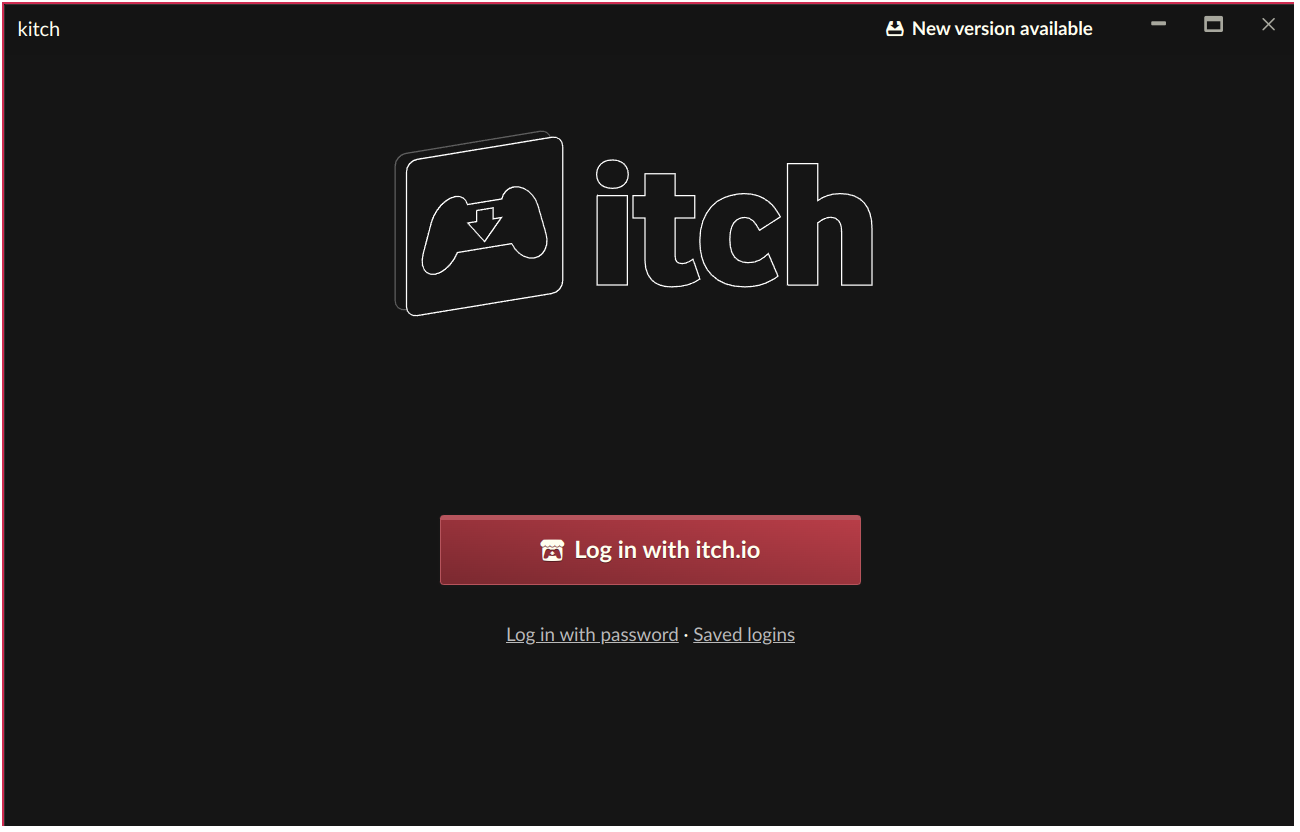
New OAuth Login

The default login method is now an OAuth flow that opens your browser to complete authentication. This replaces the in-app username & password login as the default. Password login remains available as a fallback. We’re making this change because password-based API login endpoints are frequent targets for credential stuffing attacks, and our attempt at a captcha to prevent attacks didn’t work reliably in Electron.

image.png

Assuming that the new OAuth flow works well, we will eventually remove password login entirely in a future release. If you have any issues with the new login flow, please let us know.

Electron & Build Updates

  • Upgraded to Electron 25 (from Electron 22). We wanted to get this intermediate release out before we deploy the rest of the Electron updates. The kitch branch is already testing newer versions of Electron https://github.com/itchio/itch/releases/tag/v26.7.0-canary. Large bumps in Electron also raise the operating system minimum requirements, so we want to make sure we have a stable release checkpoints as we move to the latest version of Electron.
  • 32-bit builds are fully retired
  • Butler is now built with Go 1.24 with major dependency updates across the board.
  • The itch installer now ships a AppImage binary for Linux

Accessibility

We did a pass over all clickable button like elements to ensure that they use semantic HTML elements to ensure that they can be navigated to and activated with a keyboard.

  • Clickable elements now use semantic HTML (<button>, <a>) for keyboard navigation and screen reader support
  • Modal dialogs use the native <dialog> element with proper focus trapping
  • Icons have proper aria-label attributes for screen readers

Bug Fixes

  • Set user agent fallback to avoid Cloudflare issues. We introduced Cloudflare late last year and it was causing issues with infinite human verification loops within the app’s browser. If you still are experiencing issues please tell us.
  • Fix errors related to /register, /random, and other system pages generating incorrect URLs
  • Fix context menus when clicking games
  • Fix clipboard operations in the URL bar and login form
  • Better support for AppImage and other bare Linux executables
  • Various bug fixes

Other

  • macOS uninstall support for itch-setup (--uninstall)
  • Synchronized localization strings

How to Update

Your app should auto-update, but if you run into any issues you can grab the latest installer from https://itch.io/app. If you’ve manually installed butler, you can download the latest version from https://itchio.itch.io/butler.

If you have any issues with updating, feel free to post a reply here.

Admin (1 edit)

Thanks for the regression report, opened an issue here: https://github.com/itchio/itch/issues/3384

As a separate question: How upset would you be if we removed the tabs mode from the app?

Admin

Came across your youtube mixes the other day and have been listening, nice work

Admin

Feel free to tell me what issue you were having and I can see if I can fix something for you

Admin

Can you list out the exact URLs your bot is fetching, thanks.

Unfortunately we have been under repeated attacks over the past few months and keeping the site up and running for humans is the top priority over servicing bots.

Pinned ReplyAdmin

itch.ovh has been retired. Please update anything that might be pointing at to the itch.zone equivalent. If your app is trying to access the old domain it is very out of date.

Admin

Thanks! should be fixed now

X Tutup