

Not sure what could be confusing, if you've bought the Ruben Route then you should be able to download it
1 year ago(+1)
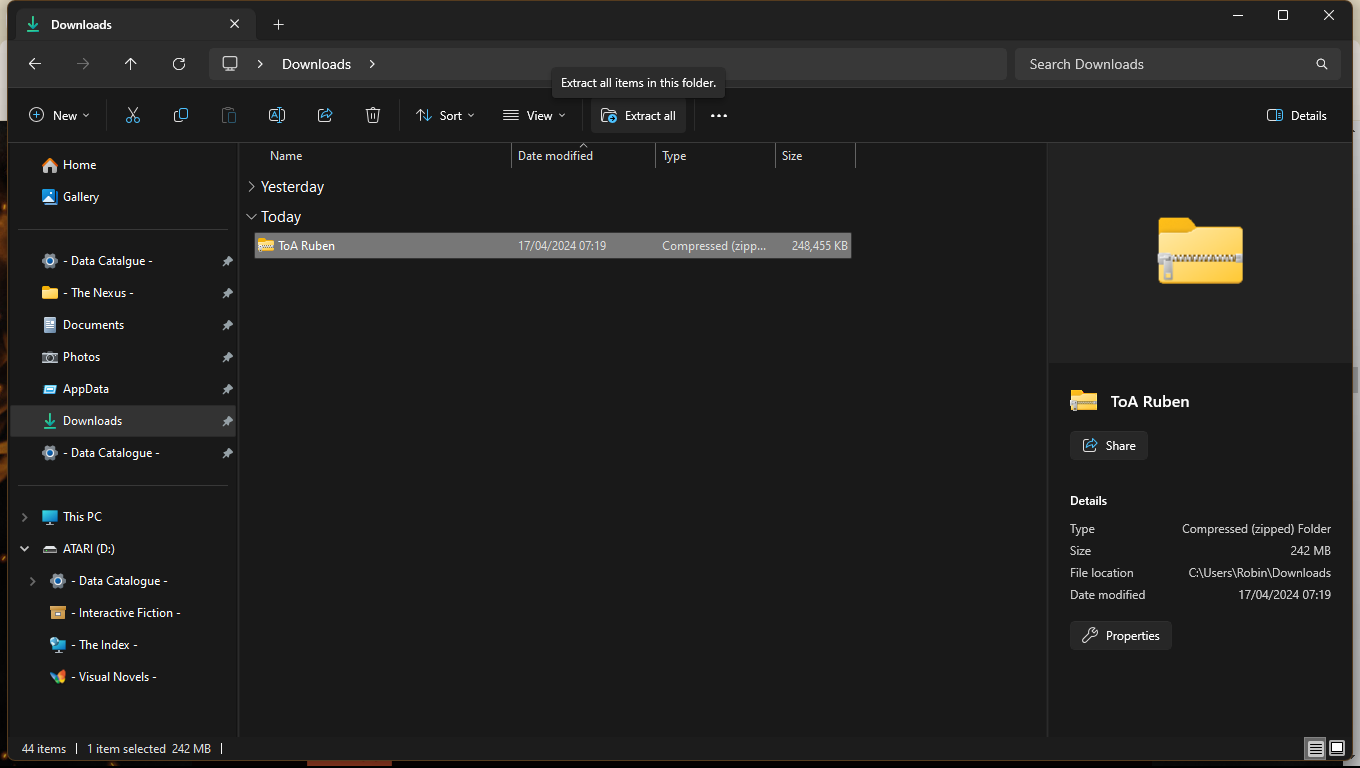
Once the download is complete it should be a zip file in your download section on our PC/Laptop called 'ToA Ruben' click that and then click 'extract all', it should then just be a normal file on your PC with a chrome link.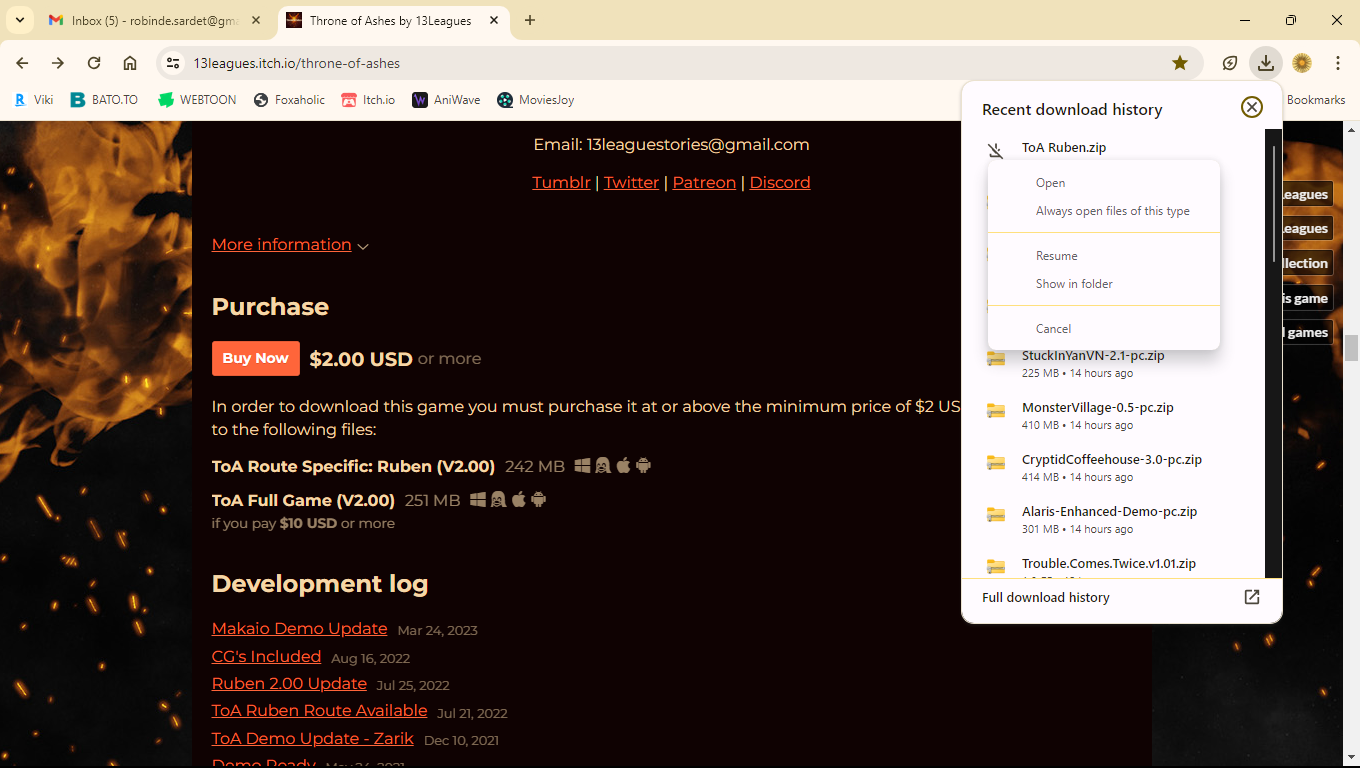
Easier way is If you right click the file in your Chrome download tab and then click 'Show in folder' it will take you to folder you need to open, Downloads go to your PC/Laptop, not your Chrome browser

1 year ago(+3)
omg? i got it to work? I didn't realize the index file was it.. Thanks for the help :))