


Prerequisites
Since we encourage developers to ship portable builds, the app supports installing frameworks or libraries your game might depend on.
Here's how it looks for users:
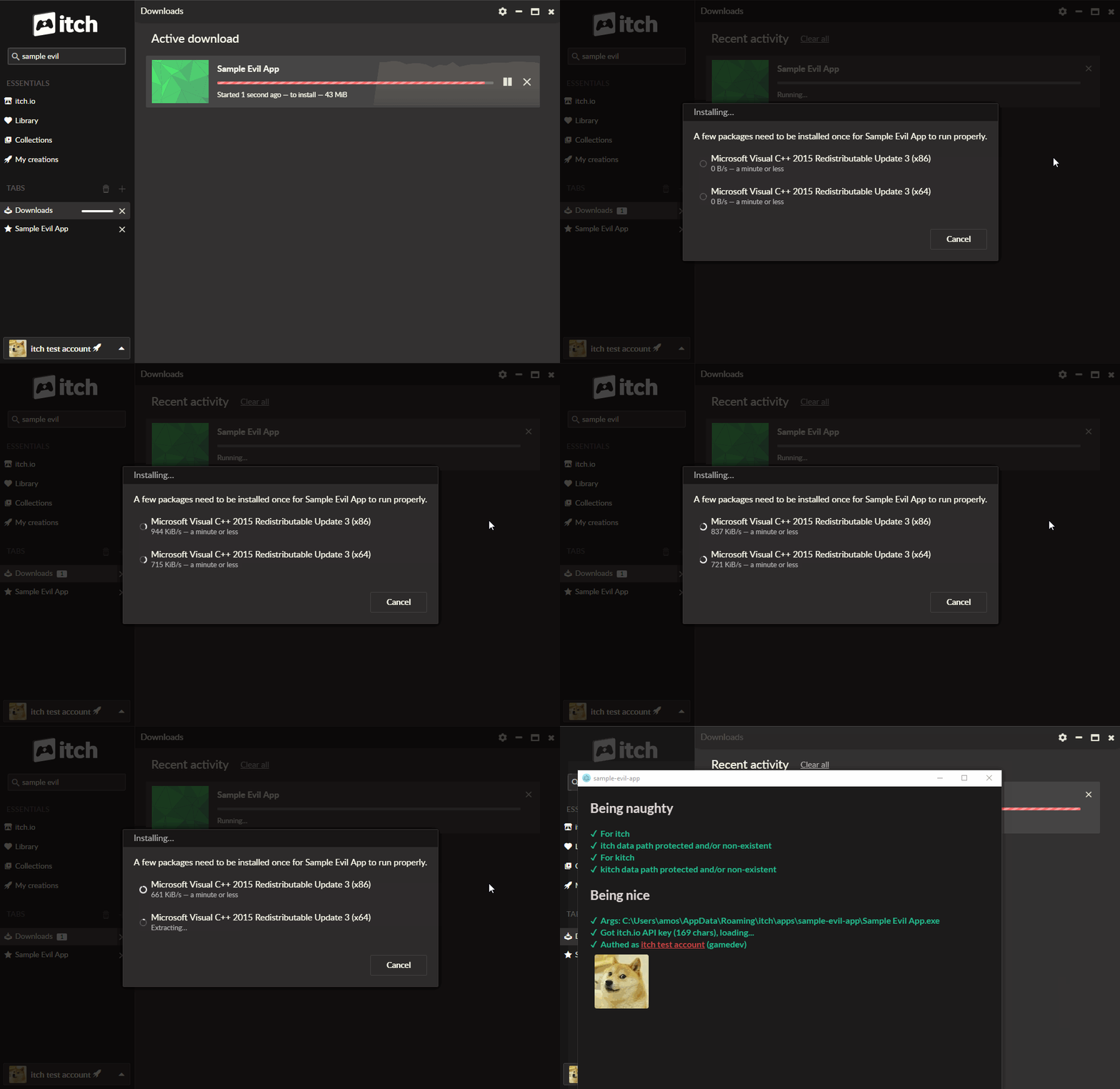
Adding prereqs to the manifest
The simplest possible manifest would look something like
[[actions]]
name = "play"
path = "Game.exe"
(As a file named .itch.toml at the root of your game's folder. See Manifest files for more details)
Each prerequisite you want just needs its own [[prereqs]] entry. For example, if
your game depends on XNA 4.0 and Visual C++ 2010, you could ship the following manifest:
[[actions]]
name = "play"
path = "Game.exe"

[[prereqs]]
name = "vcredist-2010-x86"

[[prereqs]]
name = "xna-4.0"
Prerequisites are not tied to any particular action — any time a "native executable" action
is launched, prerequisites will be verified, and if needed, downloaded and installed.
Available prerequisites
Each category of prerequisite has its own page:
To get the most up-to-date list of all available prerequisites, you can use the butler test-prereqs command:
butler test-prereqs
This will fetch the current registry and display all supported prerequisites with their names, architectures, descriptions, and versions.
All prerequisites are hosted at broth.itch.zone/itch-redists.
If your game needs a prerequisite that's not on the list, please open an issue in the itchio/itch-redists repository.