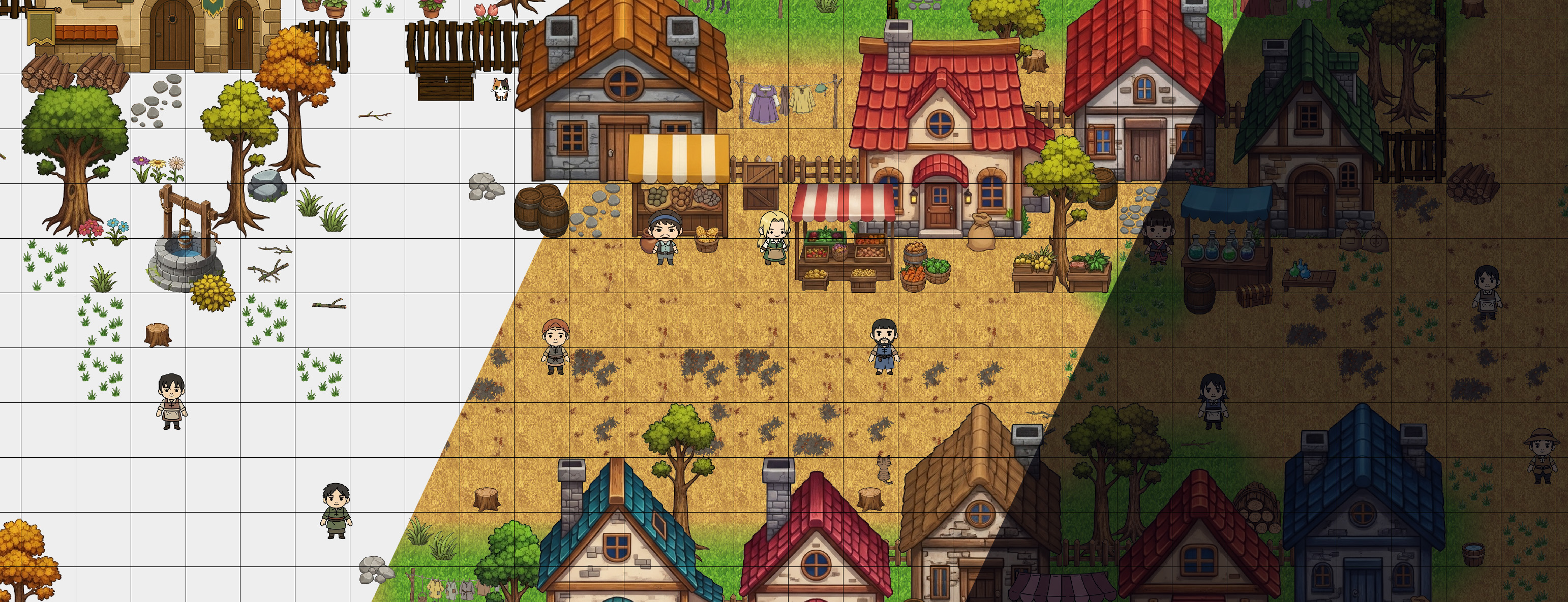
TileMaker DOT Map Editor
A downloadable Map Editor Tool for Windows, macOS, and Linux
TileMaker DOT: Data-Driven 2D Map Editor
Stop fighting layers. Start building worlds.
TileMaker DOT is a streamlined, efficient map creation tool designed for 2D game developers who prioritize speed and clean data. Built to solve the common headaches of traditional editors, it offers a unique, ID-based workflow that ensures your map data aligns perfectly with your game’s engine—not the other way around.
🚀 Why TileMaker DOT?
🧠 Smart Depth Sorting (No More Layer Hell!)
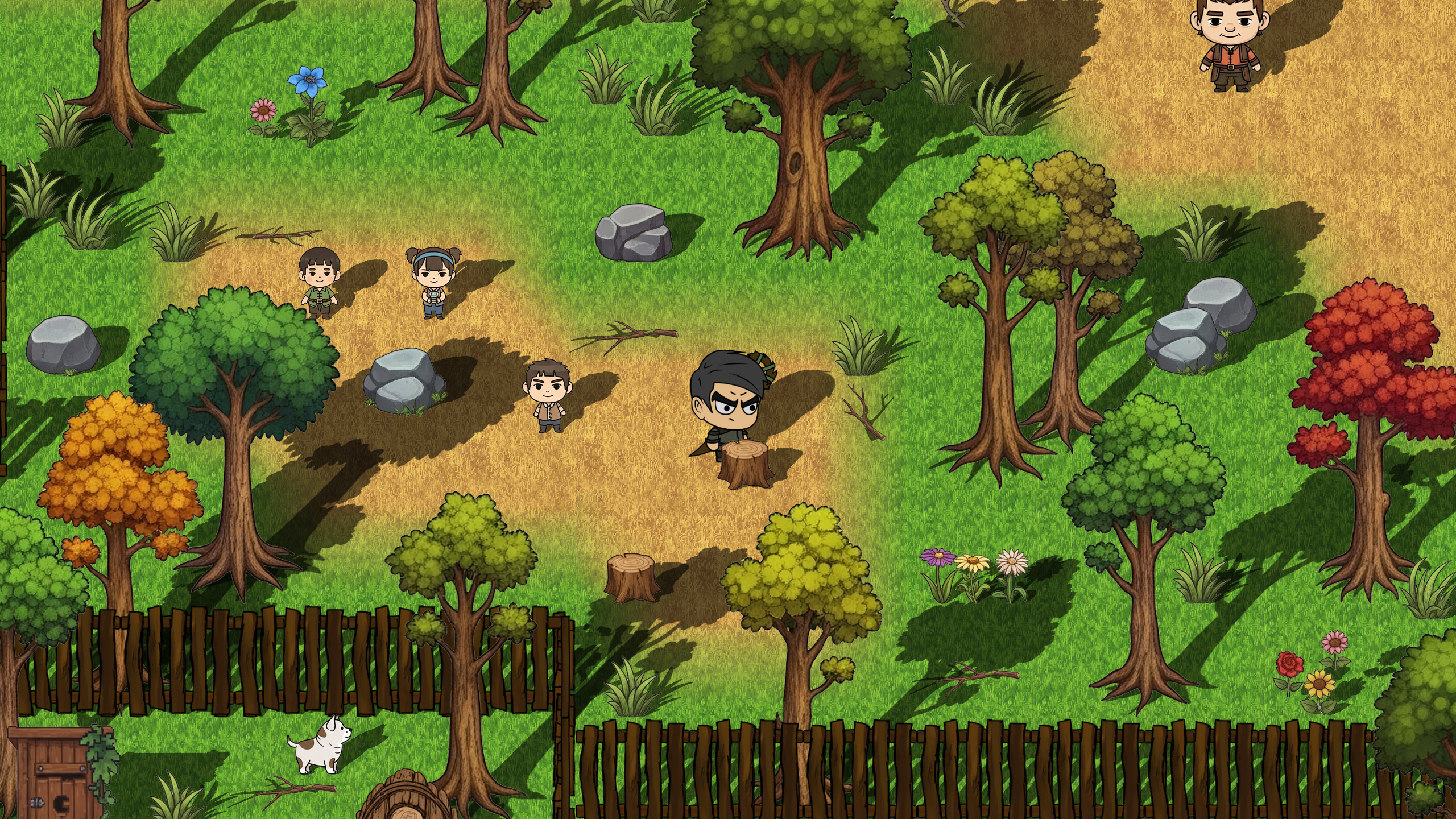
Forget managing dozens of Photoshop-style layers just to get a tree to stand in front of a house. TileMaker DOT uses automatic visual depth sorting. By analyzing the bottom-most non-transparent pixels of your objects, the editor handles the "front-to-back" rendering logic for you automatically.
🛠️ Data-First Asset Management
- Non-Breaking Updates: Modify or add images later without shifting IDs. Your map data stays intact even as your art evolves.
- Custom ID Mapping: You define the IDs. Ensure your exported files match your game's internal object structure perfectly.
- Selective Loading: Use "Whitelist" filtering to load only the assets you need, keeping your workspace clean and your RAM happy.
🧩 Pro-Level Features
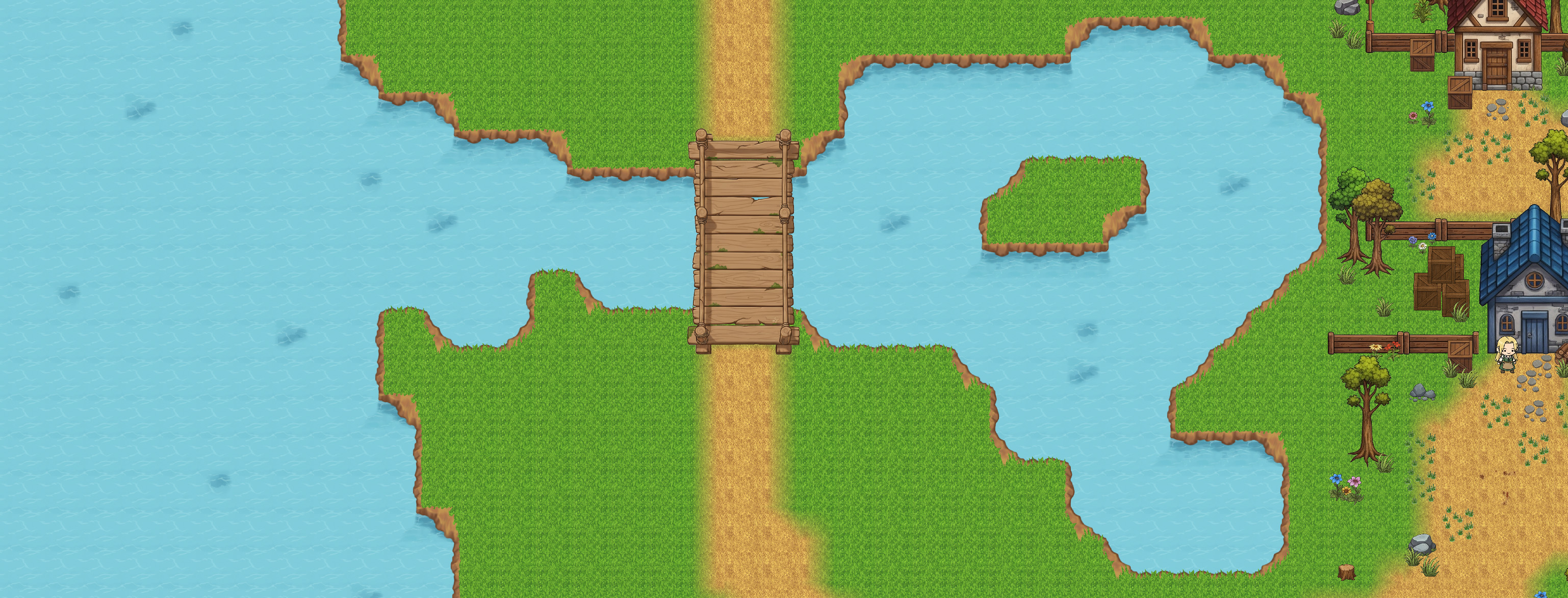
- Powerful Autotiling: Generate complex terrain transitions (like grass-to-dirt) instantly with a simple naming convention.
- Flexible Exports: Export specific sections, full tile maps, object maps, or NPC data in
.csv,.tmx,.xml, or.jsonformats. - Dynamic Resizing: Expand or shrink your canvas on the fly without losing your work.
- Forced Layering Tags: Use simple filename tags (
#Afor Above,#Bfor Below) to override sorting for rugs, shadows, or overhead canopies.
🎨 Clean, Intuitive UI
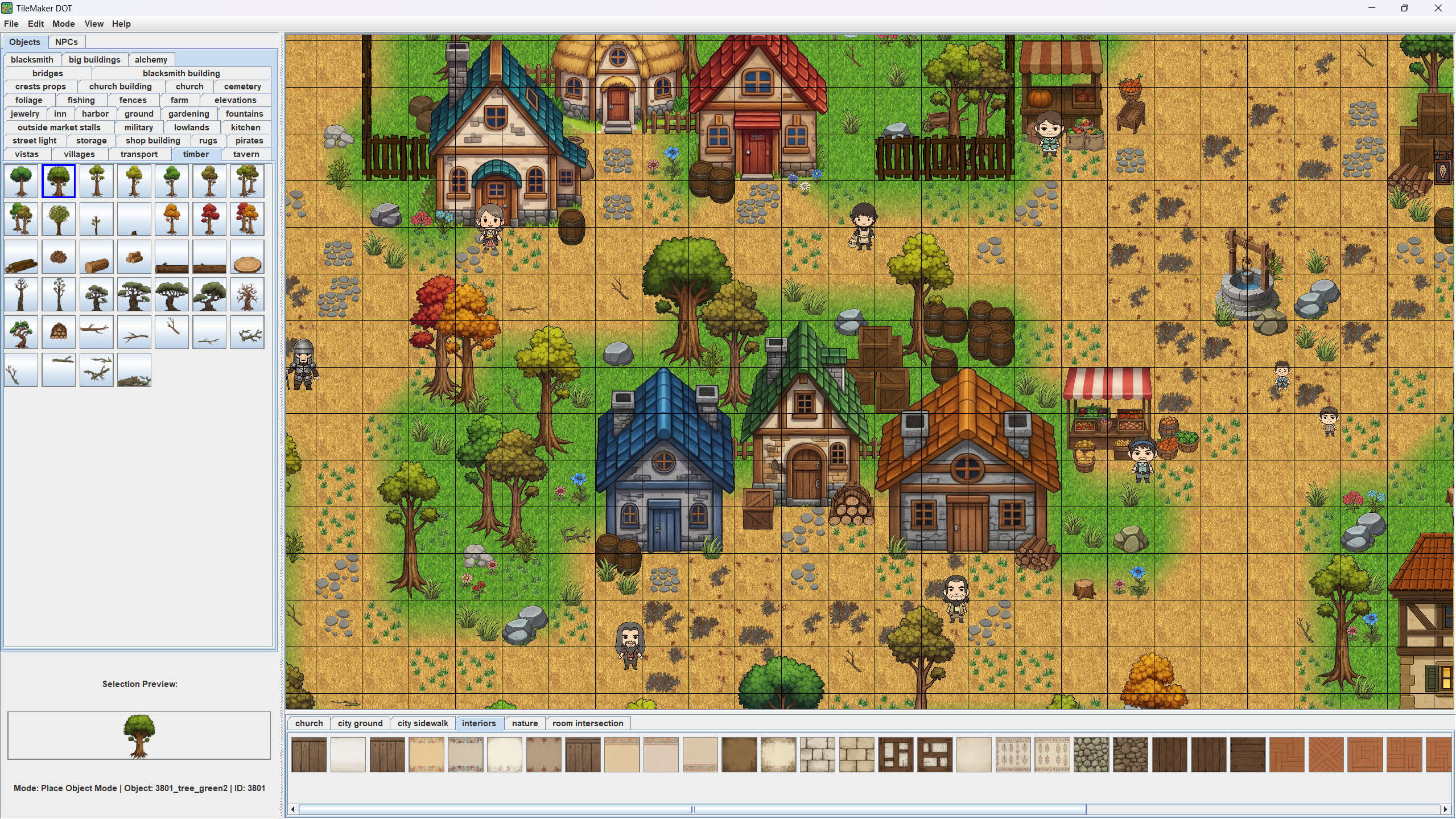
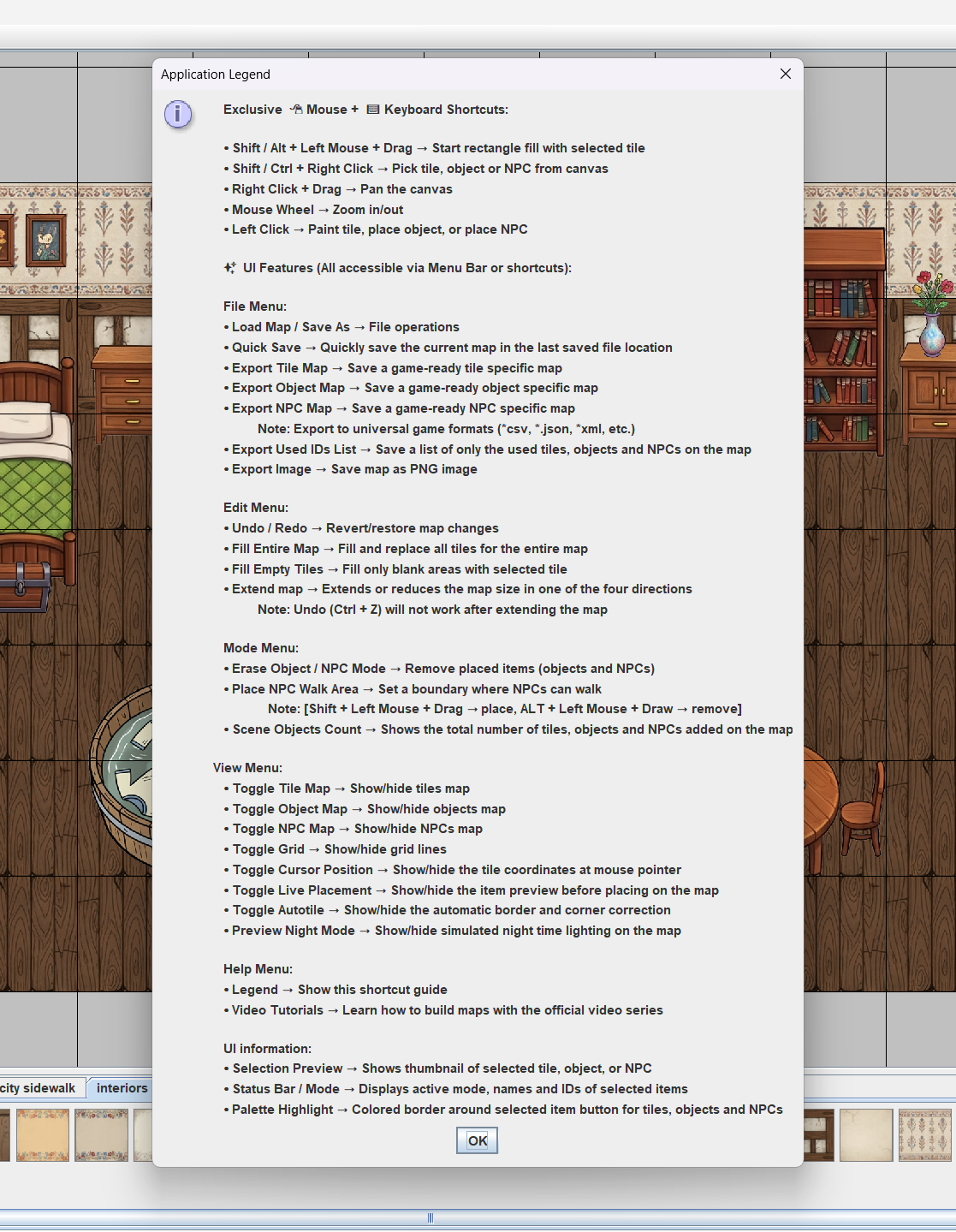
TileMaker DOT is designed to be picked up in minutes. With a categorized asset library, live placement previews, and a built-in "Application Legend" shortcut guide, you can spend less time learning the tool and more time designing your levels.
🎮 Powered by TileMaker DOT
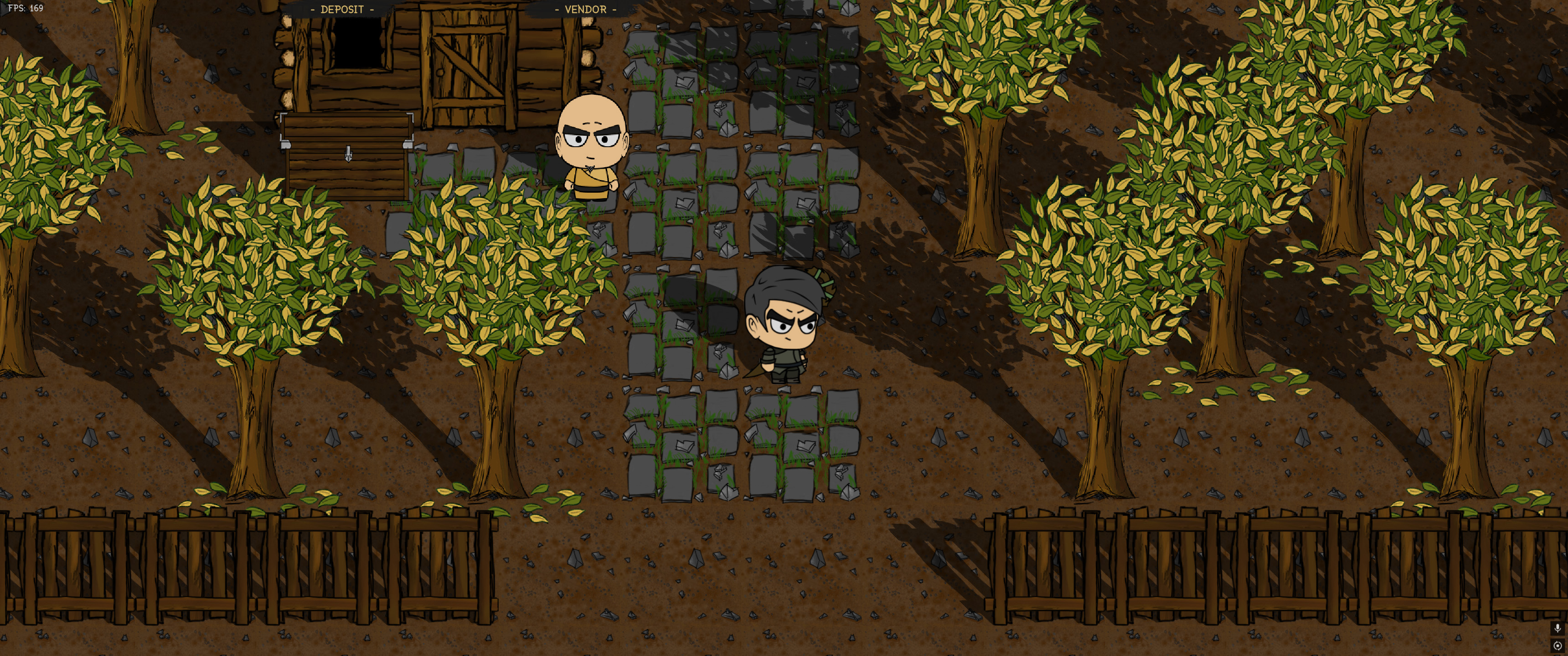
See what’s possible when you stop fighting layers and start designing. These projects utilize TileMaker DOT's unique ID-system and automatic depth sorting to create high-performance 2D environments.
Fighting for Singleship (Released on Steam)

Fighting for Singleship: I am Chased by a Bunch of Women But I Just Want to Play Video Games is a fast-paced 2D action game featuring various detailed maps.
Every level in this game was built using TileMaker DOT. The editor's ability to handle high object counts and "pixel-perfect" layering was essential in creating the chaotic, pixelated, crowded environments required for the gameplay.
👉 View Fighting for Singleship on Steam
Greetings Land (In Development)
Greetings Land is an upcoming 2D RPG that pushes the limits of TileMaker DOT’s rendering engine. This project serves as the primary testing ground for the editor’s automatic visual depth sorting and pixel-perfect layering
📂 Technical Specs
- Format: PNG (Single item per file)
- Logic: ID-based naming (
101_StoneWall.png) - Configurable: Easily tweak tile sizes, default paths, and grid settings via simple text files.
⚖️ License & Usage Rights
By purchasing or downloading TileMaker DOT, you are granted a non-exclusive license to use the software for personal and professional game development projects.
The Included Assets (Tiles, Objects, NPCs)
I want you to be able to prototype and build immediately!
- Commercial Use: You ARE allowed to use the included assets in your own commercial or non-commercial game projects created with TileMaker DOT.
- Redistribution: You ARE NOT allowed to resell, sub-license, or redistribute the raw asset files (PNGs) as a standalone asset pack or within another map editor.
- Credit: Attribution is not required but is always greatly appreciated! (e.g., "Maps created with TileMaker DOT by Andrei Voia")
🛠️ Support & Community
Have a question, found a bug, or want to suggest a new feature? I’m actively improving TileMaker DOT and would love your feedback!
- Itch.io Comments: For technical support or bug reports, please leave a comment below. I check these regularly and it helps other users find answers too.
- Feature Requests: If there is a specific export format or tool you need, let me know in the comments!
[Download Now and Streamline Your Workflow]
Created with 🍵 and code by Andrei Voia
Thank you for supporting indie tools and games!
Download
Click download now to get access to the following files:
Development log
- 🚀 MAJOR UPDATE: TileMaker DOT is now Cross-Platform! (Windows, macOS & Linux)1 day ago
- 🚀 v1.4 Update: Workflow Polish, F5 Refresh, and "No More Crashes"6 days ago
- 🚀 BIG UPDATE: Chunk System for Everyone + Pro Workflow for Engines!14 days ago
- ✨ TileMaker DOT v2.0: The "Pro Workflow" Update20 days ago
- 🚀 v1.2 Update: The "Nature & Scatter" Brush Update25 days ago
- 🚀 v1.1 Update: Smarter Placement, Better Erasing, and Clarity!32 days ago
- 🚀 Thank you for supporting TileMaker DOT!36 days ago
- 🚀 TileMaker DOT is Live! Stop Fighting Layers, Start Building37 days ago


Comments
Log in with itch.io to leave a comment.
Hey - I am running into an issue with TileMaker. Is there anyway to export a tileset either as .JSON and/or .TSX with the tileset embedded?
I am trying to import at test map made in TileMaker DOT to Unreal 5.7.3 using the tiled integration plugin and the tiles are not showing up.
Hey! Thanks for leaving a comment here!
Currently, TileMaker DOT exports maps using external tileset references to keep files organized. For the Unreal integration plugin, you usually just need to ensure your
assetsfolder is in the same relative location as your exported files.Edited note*:
Sorry, if the plugin works with Tiled, then it should work with this tool. Try this before everything else: When starting the app, leave only "assets" in the base path. And after you finish your project, make sure you copy thee assets folder where you will paste your tmx and tsx files in Unity. In this way you make sure it's a relative path to the folder.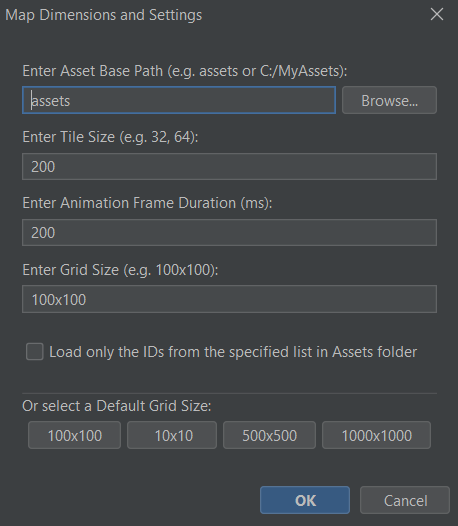
I also mentioned this in the README file:
~~~~~~~~~~~~~~~~~~~~~~~~~~~~~~~~~~~~~~~~~~~~~~~
> **⚠️ Important Path Note:** The path you enter or browse for in the **"Asset Base Path"** field at startup determines your export behavior:
> * **Relative Path:** If you keep it as `assets` (or a relative subfolder), the exported `.tmx` and `.tsx` files will use relative paths. This is recommended for moving projects between different computers or sharing with a team.
> * **Absolute Path:** If you use the "Browse" button to select a full path (e.g., `C:\Users\Name\Desktop\assets`), the exported files will hardcode that absolute path.
~~~~~~~~~~~~~~~~~~~~~~~~~~~~~~~~~~~~~~~~~~~~~~~
Please make sure to read the README, you will find useful tips there:)
And if this does not work, then try the following:
There could be a quick fix for this: Open the exported
.tmxin the Tiled Editor.But if it is important to you and if I understand how it works, I will be looking into adding a 'Direct Embed' toggle for future updates to make the Unreal pipeline possible.
Thanks for the feedback! And I am waiting for your reply
Love seeing devs build tools for other devs. Well done 💪
Thank you so much! That really means a lot. My goal is to make the tedious parts of level design a bit more fun for everyone, so I’m glad the mission resonates with you. As long as I know that my tool is used by other people in their personal or professional projects, I would call this a success on my end.
I truly believe we build better games when we share better tools. If you ever have ideas on how I can make TileMaker DOT even more useful for your workflow, please let me know!
Good luck with your projects! 💪
Hey! Is possible to import png spritesheet files to the editor and use newly loaded images?
Hey there! Currently you can import only individual textures. I did this because in this way you can make sure to define your own unique IDs for every texture and you will not be conditioned by the randomizig IDs set in a spritesheet for each tile.
I decided to do it this way because it was the easiest to work with in the end product for me and maybe for other people too. At my end I import each object individually having unique IDs.
To be honest here, I had plans to think of a way to import .png spritesheets while also defining IDs for them, but I have a few other more important features in mind like duplicating chunks of map / exporting and importing them on other maps, automatic defining IDs for all the undefined textures in the assets folders and so on. But I will take your question into consideration and when I will have some time I will think about it:)
Thank you for your question and feel free to comment at any time:) I will reply
Thanks! It would be nice to have in future, since some sprites come in separate files but some in one big png.
You gave me something to think about and I tried some things out.
I will show you a sneak peak ;)
I can promise that I am working on something and it will look like this;
You will be able to load a spritesheet, select a folder to save the textures, and then select the items you want from the spritesheet. The new name and ID will be defined automatically but a popup will let you modify them if you want to, if not just press "ok" or "continue". And then you will be refreshing the assets (I am working on this right now). And you should be ready to go in a few seconds.
But I have some other things in my agenda before this, so please stay tuned :D You will get this improvement in the near future, after 2 or 3 more updates before this.
Thank you for the suggestions and I hope you find my tool useful to you!